Seedance 2.0 for Music Videos: Multi-Shot Generation That Locks to the Beat
When ByteDance dropped Seedance 2.0 back in February, most of the conversation was about deepfakes and Hollywood panic. Understandable — the Tom Cruise rooftop brawl was impossible to ignore. But while everyone was debating copyright law and celebrity likenesses, something far more interesting was happening in music.
Creators started feeding Seedance 2.0 their tracks. And what came out the other side wasn’t just “AI video with music playing underneath.” It was multi-shot, rhythm-aware visual storytelling that actually felt like a music video.
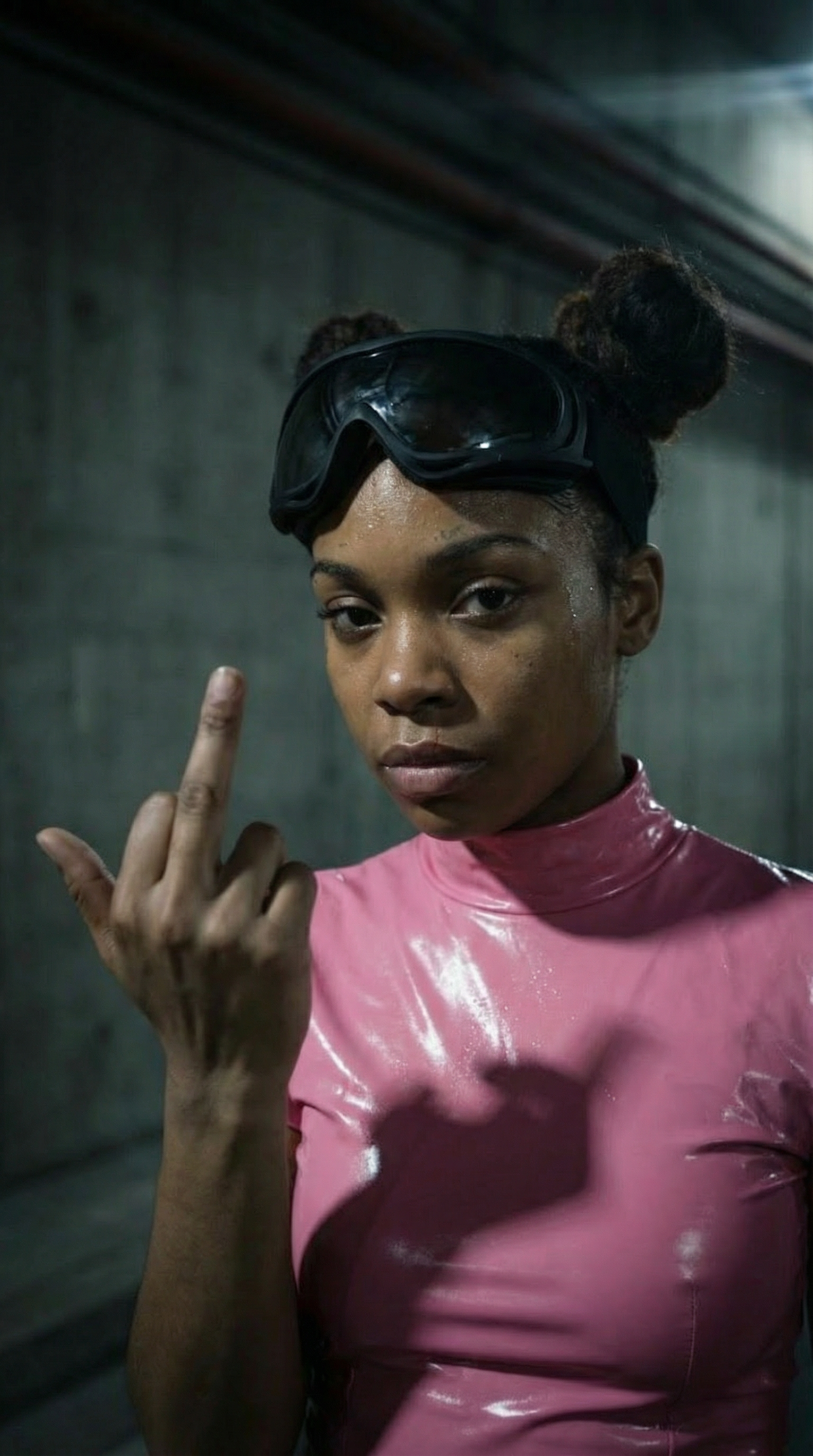
Here’s an example — made entirely with Seedance 2.0:
Watch it again. Pay attention to the cuts, the motion, the way the energy shifts with the beat. This isn’t random. The model is reading the music.
Multi-Shot Generation: The Feature Nobody’s Talking About
Most AI video tools give you one continuous shot. You type a prompt, you get a clip. If you want a music video with different scenes, angles, and visual variety, you’re stuck generating dozens of individual clips and stitching them together in a timeline editor. It works, but it’s tedious and the result often feels disjointed.
Seedance 2.0 changes the game by supporting multi-shot generation. You can define different scenes within a single generation — a wide establishing shot that cuts to a close-up, a slow-motion sequence that snaps into a fast-paced montage, a mood shift from dark and moody to bright and explosive. The model handles the transitions itself, creating visual continuity across shots that would normally require a director’s eye and an editor’s precision.
For music videos specifically, this is transformative. A song isn’t one scene. It’s a journey — verse, chorus, bridge, drop. Each section demands different visual energy. Multi-shot generation means you can map your video structure to your song structure in a way that feels intentional rather than assembled.
How It Works in Practice
The workflow looks something like this:
- Feed the model your track (or a section of it)
- Describe your shots — what you want to see in each segment
- Let Seedance 2.0 generate the multi-shot sequence with transitions
- Refine and iterate on individual shots if needed
The key difference from other tools is that Seedance 2.0 doesn’t treat each shot as an isolated generation. It understands the sequence — that shot B follows shot A, that there’s a relationship between what came before and what comes next. This gives the output a coherence that manual clip-stitching rarely achieves.
Already Locked to the Rhythm
Here’s the part that genuinely surprised me. Seedance 2.0 doesn’t just generate pretty visuals alongside your music. It listens.
The model analyzes the audio input — BPM, energy peaks, transitions, drops — and uses that information to drive visual decisions. Cuts land on the beat. Camera motion accelerates with the tempo. Scene transitions align with musical transitions. The intensity of the visuals scales with the intensity of the sound.
This is a massive leap. Previously, getting AI-generated visuals to actually sync with music required either:
- Manual timing — generating clips at specific durations and hand-editing them to the beat in post-production
- Audio-reactive processing — tools like Neural Frames that analyze frequency data to modulate visual parameters, but don’t generate narrative video content
- Purpose-built music video tools — platforms like OneMoreShot.ai that were designed from the ground up for music-to-video synchronization
Seedance 2.0 adds a fourth path: a general-purpose video model that natively understands musical rhythm. It’s not purpose-built for music videos, but it’s shockingly good at them.
Why Rhythm Sync Matters More Than Resolution
The AI video conversation is dominated by specs — 4K, 60fps, photorealism scores, consistency benchmarks. And those things matter. But for music videos specifically, sync is everything.
A music video at 720p that’s perfectly locked to the beat will always outperform a 4K masterpiece where the visuals feel disconnected from the audio. Audiences feel rhythm intuitively. When a cut lands half a second late, when a camera push doesn’t match an energy swell, when a scene change happens mid-phrase instead of between phrases — it creates a subtle but unmistakable feeling of wrongness.
This is why traditional music video directors obsess over the edit. It’s why music video editors are some of the most meticulous people in post-production. And it’s why Seedance 2.0’s native rhythm awareness matters more than any resolution bump.
The Bigger Picture for Musicians
Let’s zoom out. What does this actually mean for you if you’re making music?
Independent Artists Get Cinematic Visuals
The example video above wasn’t made by a studio. It wasn’t made by a director with a $50K budget. It was made by feeding a track into an AI model. The visual quality, the shot variety, the rhythmic precision — this is the kind of output that levels the playing field in a way that earlier AI video tools only promised.
If you’re an independent artist releasing music in 2026, you no longer have to choose between “no video” and “bad video.” Seedance 2.0 (alongside tools like OneMoreShot.ai that specialize in the full music video workflow) gives you a legitimate third option: a good video, fast, for almost nothing.
Multi-Shot Opens Up Storytelling
Single-shot AI videos work for visualizers and loops. But music videos tell stories — or at least they move. They shift perspective, change scenery, build tension and release it. Multi-shot generation gives AI music videos the structural vocabulary they’ve been missing.
Think about the music videos you love. How many of them are a single continuous shot? Almost none. They cut. They move. They surprise you. Multi-shot generation is what bridges the gap between “AI video demo” and “actual music video.”
The Sync Advantage Compounds Over Time
Once the rhythm-sync capability is established, everything built on top of it benefits. Future iterations will likely offer finer-grained control — syncing specific visual elements to specific instruments, matching lyrical content to on-screen text or imagery, adapting color grading to harmonic progression. The foundation is there. The refinements are inevitable.
What Seedance 2.0 Doesn’t Do (Yet)
Let’s be honest about the limitations, because hype without context is useless.
- No lyrics-aware generation — the model responds to audio characteristics (rhythm, energy, dynamics) but doesn’t parse lyrics or match visuals to words
- Limited style control — you can guide it with prompts, but you don’t have the granular scene-by-scene control that purpose-built tools offer
- Consistency across long-form — multi-shot works well for 15–30 second segments, but generating a full 3-minute video with character and setting consistency is still a challenge
- No integrated workflow — Seedance 2.0 is a raw model, not a music video production platform. You’re still handling the audio import, prompt engineering, and any post-production yourself
For a complete end-to-end music video workflow — upload your track, choose your style, get a finished video — tools like OneMoreShot.ai remain the most streamlined path. But as a creative building block, Seedance 2.0 is now one of the most powerful options available.
The Bottom Line
Seedance 2.0 matters for music videos not because of its resolution, not because of its photorealism, and not because of the Hollywood drama. It matters because it does two things no other general-purpose model does this well:
- Multi-shot generation that gives music videos the structural variety they need
- Native rhythm sync that locks visuals to the beat without manual post-production
These two capabilities together represent a genuine inflection point. We’ve gone from “AI can generate a cool clip” to “AI can generate something that actually feels like a music video.” That’s not a small distinction. That’s the whole game.
The creative arms race in AI video is far from over. But for musicians, April 2026 is a very good time to be paying attention.
Want to turn your tracks into professional music videos without the manual work? OneMoreShot.ai combines the best AI video models with a workflow built specifically for musicians — beat-synced visuals, multi-scene generation, and a finished video in minutes. Try it free.