Guide to Create AI Music Video: Step-by-Step for 2025
AI-generated music videos are taking the music and creative industries by storm in 2025, reshaping how artists and brands tell visual stories. With advanced technology now accessible to everyone, the ability to create ai music video content has never been more achievable.
This step-by-step guide is designed for musicians, creators, and marketers who want to leverage the latest AI tools for professional video production. You will learn about the fundamentals of AI music video creation, how to choose the right tools, plan your project, produce, edit, and export your finished videos.
Discover how AI is breaking down barriers, making high-quality video creation fast, affordable, and creatively flexible. Ready to master the process? Follow this guide and unlock your potential in AI music video production for 2025.
Understanding AI Music Video Creation in 2025
The landscape for those looking to create ai music video content has changed dramatically in 2025. With advanced AI tools, musicians and creators now have unprecedented access to high-quality video production. This section explores the foundations of AI music video creation, the technology’s impact, and the platforms shaping the industry.
What Is an AI Music Video?
An AI music video is a video produced using artificial intelligence algorithms that automatically generate and synchronize visuals to music tracks. Unlike traditional methods, which require manual editing, AI can analyze audio and instantly match visuals to beats and lyrics. Types include lyric videos, fully animated sequences, hyperrealistic visuals, and creative mixed media.
In 2024 and 2025, several AI music videos went viral due to their innovative storytelling and rapid production. According to recent statistics, AI adoption in music video production increased by over 60 percent last year. The benefits are clear: speed, cost savings, accessibility, and creative flexibility. To see a detailed comparison of AI vs. traditional music videos, visit AI vs. traditional music videos.
How AI Transforms Music Video Production
AI has revolutionized the way we create ai music video content by automating complex editing, syncing, and effects processes. AI tools can instantly align visuals with the rhythm and mood of the music, making real-time generative updates possible. This enables iterative workflows, allowing creators to preview and refine their videos quickly.
Personalization is now standard: AI can tailor visual narratives to match specific lyrics, moods, or branding requirements. Artists have used AI for unique storytelling, such as interactive lyric videos or hyperrealistic animations that respond to each musical section. These advancements make the creative process more dynamic and accessible than ever before.
Key Features of Modern AI Music Video Generators
Modern platforms designed to create ai music video projects offer a suite of features that streamline production. Core capabilities include music and lyric synchronization, allowing for seamless timing between audio and visuals. Users can select from various visual styles, such as animated, cinematic, or realistic presets.
Customization is central. You can upload reference images, choose color palettes, and even cast digital characters. Export options vary from MP4 to XML, often with integration into professional editing software. Importantly, these tools are accessible to creators of all technical backgrounds, ensuring anyone can bring their vision to life.
Market Leaders and Popular Tools in 2025
In 2025, several platforms dominate the market for those aiming to create ai music video projects professionally. Leading tools like LTX Studio and Kaiber offer advanced features, intuitive interfaces, and flexible export solutions. Adoption spans film, advertising, and creative studios, with many praising the collaborative and cloud-based editing features.
User testimonials highlight high satisfaction rates, especially around API integrations and real-time collaboration. Trends include more cloud-based solutions, seamless team workflows, and enhanced creative presets. The competitive landscape continues to evolve as more creators embrace AI-powered video production.
Step 1: Planning Your AI Music Video Project
Careful planning is the foundation for a successful project when you want to create ai music video content that stands out. Before diving into production, it is essential to define your vision, structure your narrative, prepare all assets, and set up a collaborative workflow. This approach ensures your final video resonates with your audience and maximizes the creative potential of AI tools.
Defining Your Concept and Goals
Start your journey to create ai music video content by establishing a clear creative vision. Consider the genre, mood, and message of your song. Decide whether you want a lyric video, abstract visuals, or a narrative-driven piece.
Align your objectives with your brand and target audience. Are you aiming for engagement, virality, or strengthening your artist identity? Studying past viral AI music videos and reviewing guides such as the Step-by-step AI music video guide can inspire your approach and help clarify your direction.
Successful examples include animated videos that visualize lyrics or mixed media projects that align with trending visual styles. Define your goals early to streamline the entire production process.
Scripting and Storyboarding
A compelling script is the backbone when you create ai music video content. Begin by outlining the narrative or mapping out lyric-driven scenes. This script will guide your AI tool’s visual output.
Leverage AI storyboard generators to transform your ideas into visual sequences. Map out key scenes, transitions, and motifs. For lyric videos, plan how and when text appears. For abstract concepts, focus on mood and rhythm.
Compare these two approaches:
- Lyric-driven: Emphasizes on-screen lyrics synced to music.
- Abstract storytelling: Uses visuals to evoke emotion or complement the sound.
A strong storyboard keeps your project focused and ensures the AI-generated visuals match your creative intent.
Preparing Your Audio and Visual Assets
To create ai music video content efficiently, prepare high-quality audio and visual assets in advance. Use industry-standard formats like MP3 or OGG and ensure your tracks meet recommended quality standards.
Gather reference images, logos, and style guides that reinforce your brand. Make sure all elements are original or properly licensed. Copyright compliance is crucial to avoid legal issues.
Optimize your assets for AI processing by:
- Ensuring consistent resolution and file types
- Labeling files clearly for quick retrieval
- Checking for unwanted noise or artifacts in audio
Well-prepared assets allow AI generators to deliver more accurate, visually appealing results.
Collaborating and Gathering Feedback
Collaboration is vital when you create ai music video projects, especially for teams with musicians, designers, and stakeholders. Involve key contributors early to align expectations and gather diverse perspectives.
Use collaborative features within AI platforms to share drafts and collect feedback in real time. Establish clear feedback loops, allowing for iterative improvements at each stage.
Before moving to production, secure pre-production approval from all stakeholders. This step minimizes costly revisions and ensures a smoother workflow.
By following a structured planning process, you set the stage for a successful AI-driven music video that meets your creative and business goals.
Step 2: Choosing the Right AI Music Video Generator
Selecting the ideal tool to create ai music video content is essential for both creative quality and workflow efficiency. With the rapid evolution of AI-driven platforms, understanding the landscape will empower you to make informed decisions that align with your project vision and technical needs.
Criteria for Selecting an AI Video Platform
Before you create ai music video projects, define your priorities. Review each platform’s:
- Compatibility with audio and video formats such as MP3, WAV, and MP4
- Customization options for video style, effects, and character casting
- Ease of use, including intuitive interfaces for beginners
- Integration with DAWs, graphic tools, or cloud storage
Consider your technical expertise and desired creative flexibility. Platforms that balance simplicity with advanced features help you streamline production without sacrificing quality.
Comparing Top AI Music Video Generators
When you create ai music video content, compare leading generators by their features, pricing, and support. For a detailed analysis, see the Best AI music video tools 2025.
Use this table to guide your evaluation:
| Platform | Key Feature | Export Options | User Support |
|---|---|---|---|
| LTX Studio | Cinematic presets | MP4, XML | Tutorials, Chat |
| Kaiber | Animated video styles | MP4 | Community Forum |
| 1 More Shot | Professional templates | MP4, XML | Live Support |
Explore sample projects and user testimonials to gauge real-world results.
Accessibility and Export Solutions
To create ai music video files ready for distribution, assess export flexibility. Look for:
- Multiple output formats (MP4, XML) to support different platforms
- Cloud-based versus desktop solutions for remote collaboration
- Licensing options for commercial or personal use
Choose tools that simplify exporting and sharing, especially if you need to further edit or distribute your video across channels. User reviews often highlight strengths and limitations in export workflows.
How 1 More Shot Empowers AI Music Video Creation
1 More Shot stands out for those who want to create ai music video content with professional polish. Its AI-powered tools enable high-quality video production with minimal technical barriers.
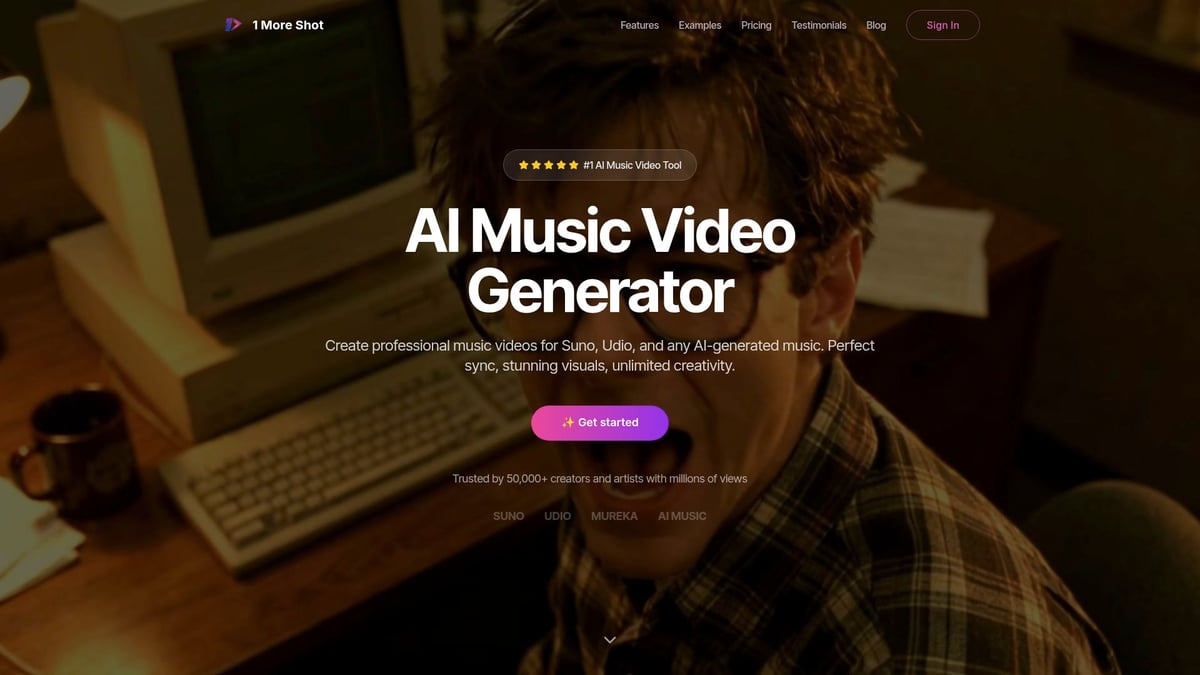
Key advantages include advanced visual customization, a user-friendly interface, and flexible export settings. Musicians and content creators use 1 More Shot for projects ranging from lyric videos to cinematic storytelling. User testimonials praise its speed, reliability, and collaborative features, making it an excellent choice for both solo artists and teams.
Step 3: Producing Your AI Music Video – Step-by-Step Workflow
Unlocking the full potential to create ai music video projects starts with a structured, step-by-step workflow. Each phase, from initial upload to final optimization, ensures every creator can harness AI’s power with confidence and creativity.
Uploading Your Music and Setting Up the Project
To begin to create ai music video content, start by launching your chosen AI video platform. Import your audio file, ensuring it meets the platform’s supported formats, such as MP3 or WAV. High-quality audio is essential for accurate synchronization and visual mapping.
Configure your project with a clear title, description, and relevant tags. These details help organize your workflow and boost discoverability later. As you upload your track, preview the waveform to identify key transitions and segments. Many AI tools now offer real-time feedback and suggestions at this stage.
For insights on how artists streamline production and reduce costs with AI, explore AI’s Role in Music Video Production. This resource highlights how creators leverage automation to efficiently create ai music video projects while maintaining high quality.
Customizing Visual Style and Narrative
Once your project is set up, select a visual style that matches your music’s mood and genre. Most AI platforms provide presets, including animated, hyperrealistic, or cinematic looks. To further personalize your video, upload reference images, define a color palette, and choose character designs.
Aligning the narrative with your song’s message is crucial. Decide if you want a literal interpretation or an abstract, artistic approach. Scene settings, character choices, and visual motifs should reinforce the emotional tone of your track. This thoughtful customization ensures your efforts to create ai music video content result in a cohesive and captivating story.
Syncing Visuals to Music and Lyrics
One of the most powerful features when you create ai music video projects is automated synchronization. AI analyzes your track’s beats and lyrics, then maps visual changes to each section, such as the intro, chorus, and bridge. This ensures visuals dynamically respond to the music’s rhythm and emotional shifts.
Customize camera angles, transitions, and effects to highlight key moments. For lyric videos, animated text overlays can enhance storytelling and audience engagement. These advanced syncing capabilities save countless hours compared to manual editing, making it easier for anyone to create ai music video content that feels professional.
Fine-Tuning Shots and Animation
With your visuals in place, fine-tuning becomes the next step to create ai music video excellence. Adjust shot duration, motion, and pacing to match the energy of the music. Use real-time preview features to see how changes affect the overall flow.
Edit individual scenes for narrative consistency, ensuring each transition supports the song’s progression. Subtle tweaks, such as timing a camera pan to a dramatic beat, can significantly enhance emotional impact. This attention to detail helps you create ai music video experiences that resonate deeply with viewers.
Adding and Editing Custom Visual Elements
To further personalize your project, incorporate custom images or short video clips. Layer branding assets, titles, or special effects to reinforce your unique style. Many platforms offer AI-powered suggestions for visual enhancements, making it easier to create ai music video projects that stand out.
Consider animating static images or adding movement to backgrounds for extra depth. Use overlays, stickers, or graphics to emphasize key lyrics or themes. This stage allows for creative experimentation, so do not hesitate to try different combinations that reflect your artistic vision.
Iterative Review and Collaboration
Collaboration is integral when you create ai music video projects, especially for teams. Share previews with musicians, designers, or stakeholders to gather feedback early and often. Most AI platforms support real-time adjustments, allowing for rapid iteration.
Utilize version control features to save progress and compare different edits. Multiple review cycles ensure quality and alignment with the original concept. By fostering open communication and incorporating diverse perspectives, your final create ai music video output will be polished and impactful.
Accessibility and Workflow Optimization
Modern AI tools are designed to help everyone create ai music video content efficiently. Many platforms include accessibility features, such as screen reader support or keyboard navigation, to accommodate creators with disabilities.
Optimize your workflow by using templates, automated scene generation, and collaboration tools. Distributed teams can work together seamlessly, reducing production time by up to 200 percent in some cases. These innovations enable more creators to participate and consistently create ai music video projects at a professional level.
Step 4: Editing, Exporting, and Publishing Your AI Music Video
Editing and publishing are the final steps to create ai music video projects that stand out. This stage ensures your video is polished, compatible with platforms, and reaches your audience effectively.
Final Edits and Quality Control
Before you create ai music video exports, conduct a thorough review for consistency and brand alignment. Watch the full video to catch visual glitches, timing issues, or mismatched scenes.
Check your audio levels to ensure vocals and instruments are balanced. Review transitions and pacing, verifying that the visuals flow smoothly with your music. Confirm that all branding, logos, and copyrighted assets are used correctly.
Pre-export checklist:
- Watch the full video start to finish
- Check audio/visual sync and transitions
- Confirm brand elements and copyright compliance
A meticulous review makes your final product look professional and ready for distribution.
Exporting in Multiple Formats
Once you create ai music video content, choose the right export settings for your needs. Most AI platforms support MP4 for universal compatibility. If you plan further editing, export an XML or similar file to integrate with advanced software.
Adjust resolution (1080p or 4K), aspect ratio (16:9 for YouTube, 9:16 for TikTok), and file size to match your platform. Test exported files for playback quality on different devices.
If you encounter issues, consult your platform’s help resources. Many creators prefer cloud-based solutions for faster exports and easier sharing. Reliable exports ensure your video is ready for any platform.
Sharing and Distributing Your Video
After you create ai music video content and export it, focus on reaching your audience. Upload your video to YouTube, TikTok, Instagram, and music platforms. Optimize titles, descriptions, and thumbnails for searchability.
Leverage social media to drive engagement and encourage shares. For tips on maximizing reach, see Viral AI music video tips.
Consider launching teaser clips or behind-the-scenes content to build anticipation. Use analytics from each platform to monitor performance and audience reactions.
Measuring Success and Gathering Feedback
To improve how you create ai music video projects, track key performance indicators like views, watch time, shares, and audience growth. Review platform analytics to identify trends and popular segments.
Collect feedback from viewers and collaborators. Ask for testimonials or user reactions to showcase your video’s impact.
Use this data to refine future projects, experiment with new styles, and continually elevate your creative output. Consistent analysis and iteration are essential for long-term success.
Future Trends and Advanced Tips for AI Music Video Creation
The future is bright for those looking to create ai music video projects with cutting-edge results. As we look ahead to 2025 and beyond, rapid advancements in generative AI are transforming every aspect of music video production. From real-time rendering to deep learning-driven visual effects, creators now have unprecedented control and flexibility.
Emerging AI Technologies in Music Video Production
Emerging AI tools are redefining how creators approach music video projects. Real-time rendering engines now allow instant previews of complex scenes, while deep learning algorithms can generate hyperrealistic animations that match music beats with impressive accuracy.
Integration with AR and VR platforms is unlocking new interactive experiences, letting audiences immerse themselves in AI-generated visual worlds. AI-driven personalization tailors video content for different audience segments, optimizing engagement.
According to recent AI Video Generation Market Trends, adoption rates for AI-powered video solutions continue to climb, signaling a transformative shift in the industry. As you create ai music video content, expect even more seamless workflows and creative opportunities in the coming years.
Maximizing Creative Potential with AI
To fully harness the power of AI, combine automated generation with manual editing for a hybrid workflow. This approach allows you to experiment with new visual styles and effects while maintaining creative control.
Rapid prototyping is now possible, enabling you to iterate on ideas quickly and efficiently. For those who create ai music video projects, this means less time spent on technical hurdles and more time focused on artistic vision.
Look for inspiration in boundary-pushing projects that blend animation, live action, and generative art. By leveraging AI’s capabilities, creators can produce work that stands out in a crowded digital landscape.
Overcoming Common Challenges
While AI offers remarkable advantages, challenges remain for those who create ai music video content. Copyright and licensing issues require careful attention, especially when using generative assets or remixing visuals.
Technical limitations, such as inconsistent output quality or restricted customization, can affect results. To address these, stay updated with platform releases and participate in user communities for support.
Accessibility and inclusivity should be prioritized, ensuring videos are usable by all audiences. Tap into resources and networks that help troubleshoot issues and share best practices, making the process smoother for every creator.
Resources and Learning Opportunities
To stay ahead in the journey to create ai music video content, invest in continuous learning and community engagement. Valuable resources include:
- Online tutorials and video courses for AI music video production
- Blogs and industry news sites focused on AI creativity
- Forums and communities where creators share tips and feedback
- Software documentation and update logs for the latest features
Consider tracking AI’s impact on the music industry by referencing AI’s Impact on Music Industry Revenue for up-to-date statistics and trends. By leveraging these resources, you can refine your skills and ensure your projects remain innovative and impactful.
You’ve just explored the essential steps for creating standout AI music videos—from crafting your concept and selecting the right tools, to customizing visuals and sharing your finished work. With platforms like 1 More Shot, you’re empowered to turn your creative vision into a professional-grade production using intuitive, advanced technology—even if you’re new to video editing. If you’re ready to put these insights into action and see how easy it is to bring your music to life, let’s take the next step together.
Start Creating Now