
Free Video AI Guide: Unlock Creative Power in 2026
Imagine creating eye-catching videos in minutes, with no technical skills or expensive software required. The creative possibilities are limitless and accessible to everyone.
This guide reveals how you can use free video ai tools to unlock your creative power in 2026. Whether you are a beginner or an experienced creator, this roadmap will help you produce polished, professional content with ease.
You will learn what video AI is, discover the top free platforms, follow step-by-step instructions, explore real-world success stories, and gain expert tips to maximize your results.
The AI video revolution is here. Start your journey and transform your ideas into standout videos today.
Understanding Video AI: The Basics and Evolution
What is Video AI?
Video AI is the use of artificial intelligence, including machine learning and neural networks, to automate and enhance video creation. Unlike traditional video editing, which demands manual effort and specialized skills, free video ai platforms transform text, images, and other inputs into polished videos with minimal user intervention.
Key functions of free video ai include:
- Text-to-video generation
- Image-to-video conversion
- AI avatars as presenters
- Video dubbing and translation
- Automated video editing and summarization
Modern platforms leverage generative AI to produce content that rivals professional studios. For example, Synthesia’s AI avatars can deliver scripts in over 140 languages, while Sora: OpenAI’s Text-to-Video Model creates cinematic clips from simple prompts. Veo 3 by Google DeepMind synchronizes audio and visuals for a seamless experience.
By 2026, free video ai tools offer increased realism, support multi-modal inputs, and process content in real time. The result is a democratization of video production, enabling marketers, educators, and even small businesses to reach wider audiences. Over 90% of Fortune 100 companies now use AI video tools, reflecting their transformative impact across marketing, training, entertainment, and social media.
How Has Video AI Evolved?
The journey of free video ai began with basic AI-assisted editing and has rapidly advanced to today’s generative video models. Early milestones included the introduction of AI avatars and automated dubbing, which removed language barriers and streamlined production.
The landscape shifted as free and accessible tools like EaseMate AI, Synthesia, and Runway emerged. These platforms brought vast template libraries, stock assets powered by AI, and intuitive no-code interfaces to the masses. The explosion of user-generated content followed, with millions of videos now created monthly using free video ai.
Recent years have seen the launch of advanced features such as real-time video generation and multi-language support. The future promises even more intuitive user experiences, deeper personalization, and higher video quality. As free video ai continues to evolve, expect interfaces to become smarter and content to be more engaging, opening creative opportunities for everyone.
Top Free Video AI Platforms in 2026
The landscape of free video ai platforms in 2026 is more powerful and accessible than ever. Whether you are a content creator, educator, or business professional, these tools open new creative doors without requiring advanced technical skills or a large budget.

Leading Free AI Video Generators
Today’s top free video ai platforms offer a robust suite of features designed to simplify video production while maximizing creative potential. Here are the leaders transforming video creation in 2026:
- EaseMate AI: Supports both text-to-video and image-to-video generation. Users can select from multiple advanced models like Veo 3, Runway, Kling, and Hailuo. No prior editing experience is required, making this platform ideal for quick marketing, training, or explainer videos.
- Synthesia: Famous for its AI avatars, Synthesia supports over 140 languages and comes with a library of professional templates. Its studio-quality outputs are widely used by Fortune 100 companies for internal communication and training.
- Runway: Known for AI-powered video editing and generative video tools, Runway enables collaborative workflows and real-time editing. The platform is popular for creative projects and professional content.
- PixVerse: Specializes in creative effects, animation, and stock video generation. PixVerse empowers creators to build visually engaging content with minimal effort.
Key features across these free video ai platforms include text-to-video, image-to-video, avatar presenters, multi-language support, video dubbing, and a wide array of templates. They also offer support for multiple aspect ratios like 16:9, 9:16, and 1:1, as well as HD export options. Most have integrated royalty-free stock libraries, B-roll footage, and AI-driven tools for captioning and summarization.
Here’s a quick comparison of these leading platforms:
| Platform | Text/Image to Video | Avatars | Languages | Templates | Watermark on Free Tier | HD Export | Collaboration |
|---|---|---|---|---|---|---|---|
| EaseMate AI | Yes | No | 40+ | Yes | No | Yes | Limited |
| Synthesia | Yes | Yes | 140+ | Yes | Yes | Yes | Yes |
| Runway | Yes | No | 30+ | Yes | Yes | Yes | Yes |
| PixVerse | Yes | No | 20+ | Yes | Yes | Yes | No |
For readers seeking a broader perspective on how these platforms compare with other free and paid solutions, explore this Best AI Music Video Tools 2024 guide, which covers the latest trends and top tools in the free video ai space.
Synthesia stands out with real-world success stories, such as Heineken’s internal communications overhaul, while EaseMate AI powers instant video generation for millions worldwide. In fact, over 90 percent of Fortune 100 companies now leverage free video ai technology for their business needs.
Use Cases and Ideal Users
Free video ai tools cater to a diverse audience, making high-quality video creation accessible to all. Here are some of the most common user groups and scenarios:
- Content Creators: YouTubers, TikTokers, and marketers use free video ai to produce engaging videos at scale, optimize for social platforms, and localize content effortlessly.
- Professional Teams: Sales, training, and HR departments rely on these tools for onboarding, compliance, and knowledge management. Automated video dubbing and translation help reach global teams.
- Social Media Influencers: Rapid video production, branding, and real-time localization are essential for influencers. Free video ai platforms provide templates and stock assets that speed up the creative process.
- Enterprises: Large organizations use free video ai for internal communications, technical training, and branded explainer videos. The ability to customize avatars and scripts streamlines content delivery.
Each of these user groups benefits from the intuitive design, robust features, and scalability of free video ai platforms. As a result, millions of videos are generated monthly, supporting everything from small business marketing to enterprise-scale training.
No matter your background or creative ambition, free video ai solutions in 2026 make professional video production not only possible but enjoyable.
Step-by-Step: How to Create Videos with Free AI Tools
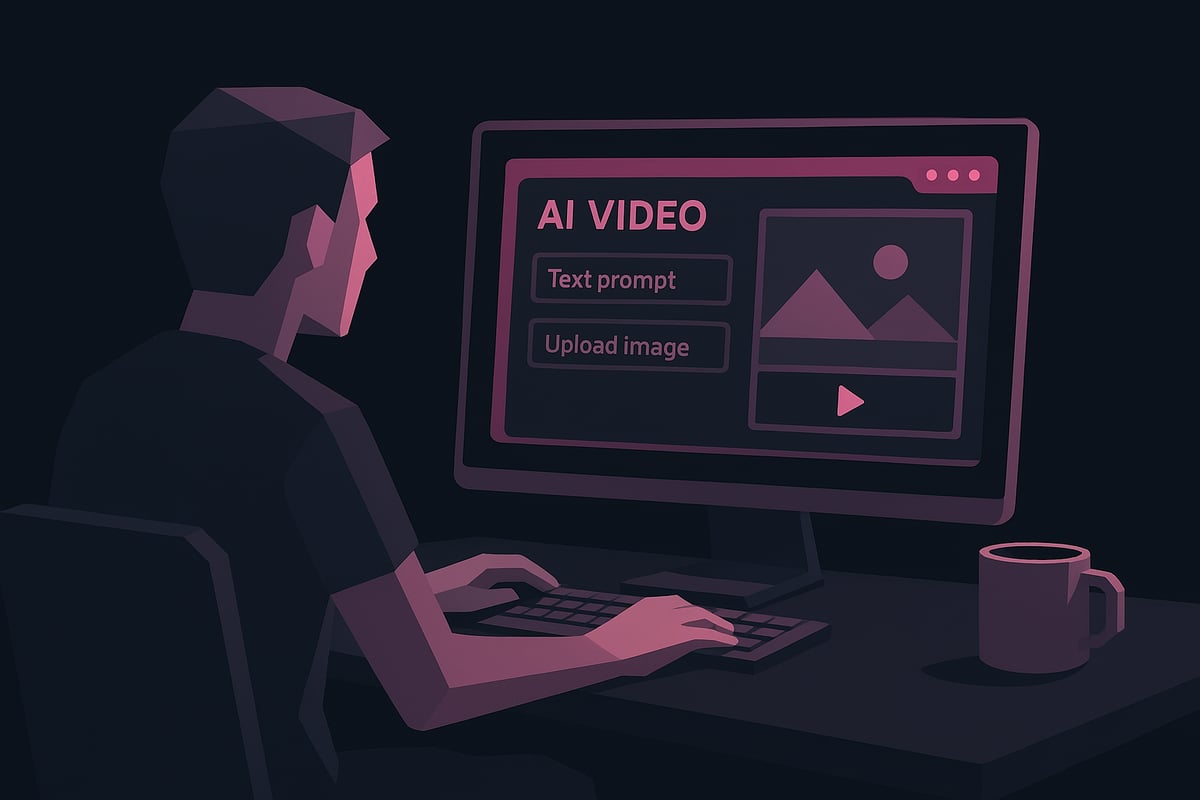
Ready to dive in and create your first video with free video ai? This step-by-step guide breaks down the process, making it simple for anyone to produce professional-quality content. Whether you are a marketer, educator, or creative, these steps will help you unlock the full power of free video ai platforms.
Step 1: Choose Your AI Video Platform
Selecting the right platform is the foundation of your free video ai journey. Consider the type of video you want to create. Are you making explainer videos, product demos, social media shorts, or training materials? Each free video ai platform offers unique strengths.
Popular choices include:
- EaseMate AI for text/image to video and instant results.
- Synthesia for AI avatars and multi-language support.
- Runway for advanced editing and collaboration.
- PixVerse for creative animation and effects.
Assess the following factors:
- Features: Does the platform offer text-to-video, image-to-video, or avatar presenters?
- Free tier limitations: Are there export restrictions or watermarks?
- Output format: Does it support the aspect ratios and resolutions you need?
- User interface: Is it intuitive for beginners?
Register for an account, then explore the dashboard and template library. Most free video ai tools guide you with clear instructions, making onboarding quick. The right choice sets you up for a smooth creation process and ensures your free video ai content meets your goals.
Step 2: Prepare Your Inputs
Preparation is key for effective free video ai content. Start by gathering the materials you want to use. Free video ai platforms typically accept:
- Text prompts or full scripts
- Images (JPG, PNG, recommended sizes: 1920x1080 or 1080x1920)
- URLs or document files (PPTX, DOCX, PDF, TXT)
For text prompts, clarity is essential. Write concise scripts, specify the target audience, and provide context. If using images, choose high-quality visuals that match your video’s tone. Structure your content logically, so the free video ai can interpret and sequence your ideas effectively.
Best practices:
- Break scripts into short paragraphs or bullet points.
- Use descriptive language for prompts.
- Group related images and text for seamless transitions.
Proper input preparation ensures your free video ai project looks polished and communicates your message clearly.
Step 3: Generate Your Video
Now, bring your vision to life with your chosen free video ai tool. Begin by selecting a template or start from scratch, depending on your needs. Enter your text, upload images, or paste your script into the platform interface.
Customize your video:
- Choose from available avatars, voice styles, and languages.
- Set aspect ratios (16:9, 9:16, 1:1) to match your distribution platform.
- Select backgrounds, music, and visual effects.
Most platforms offer a real-time preview, allowing you to review the generated video instantly. Make adjustments as needed for pacing, visuals, or audio. Add captions, brand elements, or interactive features if supported.
For more step-by-step guidance, refer to How to Make an AI Video, which complements this overview and helps you navigate every detail of free video ai video creation.
Step 4: Edit and Enhance
Editing transforms your draft into a professional-grade result. Free video ai editors typically provide tools to:
- Cut and trim scenes
- Add transitions, overlays, and effects
- Insert royalty-free B-roll or stock footage
Enhance your content with AI-powered features:
- Upscaling for sharper visuals
- Automatic audio syncing
- Dubbing and multi-language translation
To maximize accessibility, use built-in captioning and consider screen reader compatibility. Free video ai platforms often include libraries of stock assets, so take advantage of these to enrich your narrative.
A simple editing workflow might look like:
- Trim unwanted sections.
- Add transitions between scenes.
- Insert captions and branding.
These enhancements help your free video ai project stand out and engage your audience effectively.
Step 5: Export and Share
When your free video ai video is ready, it is time to export and share it with the world. Most platforms support popular formats like MP4, MOV, and GIF, and offer various aspect ratios for different social platforms.
Common export options:
| Format | Best For | Watermark Policy |
|---|---|---|
| MP4 | YouTube, websites | Sometimes on free plans |
| MOV | Editing, Apple | Usually watermark-free |
| GIF | Social, blogs | Often watermark |
Check the platform’s watermark policy. Some free video ai tools allow watermark-free exports, while others require a paid plan for clean downloads. Publish directly to platforms like YouTube, TikTok, or Instagram, or download for offline use.
Optimize your video for each platform’s algorithm. Use relevant tags, engaging thumbnails, and clear descriptions. Monitor analytics (when available) to track performance and refine your future free video ai projects.
Advanced Tips to Unlock Maximum Creative Power
Unlocking the full potential of free video ai means going beyond simple templates. Whether you are a marketer, educator, or creator, these advanced strategies will help you craft videos that stand out and engage your audience.
Experiment with Multi-Modal Inputs
Take your free video ai projects to the next level by mixing text, images, and audio. Multi-modal inputs allow you to create richer, more dynamic videos.
- Combine a script with relevant images and background music.
- Use AI avatars to present content in different languages or styles.
- Layer in animation effects and dynamic backgrounds for added depth.
By integrating multiple input types, you can tailor your message and keep viewers engaged. Try uploading voiceovers or using AI to synchronize speech with on-screen avatars. This approach is especially effective for tutorials, explainer videos, and brand storytelling.
Leverage Templates and Stock Libraries
Free video ai platforms offer thousands of templates and royalty-free stock assets to streamline content creation. These resources can save time while ensuring professional results.
- Customize templates to match your brand colors and fonts.
- Browse stock footage libraries for high-quality B-roll and background visuals.
- Adapt templates for different formats, such as social media posts or training modules.
For example, marketing teams can quickly produce product demos, while educators can build consistent, branded lesson videos. Leverage the platform’s built-in tools to ensure every video stays on-brand and visually appealing.
Optimize for Engagement and Accessibility
Maximize the reach of your free video ai content by focusing on engagement and accessibility. Simple enhancements can make your videos more inclusive and interactive.
- Add captions and subtitles so viewers can follow along without sound.
- Use AI-powered dubbing to translate videos into multiple languages.
- Include interactive elements, like quizzes or clickable links, if the platform supports them.
Accessibility features not only broaden your potential audience but also improve retention. Consider testing different versions to see which elements drive the most engagement.
Collaborate and Automate
Modern free video ai platforms support real-time collaboration and automation, ideal for teams and agencies. These features streamline workflows and boost productivity.
- Invite colleagues to edit or review videos simultaneously.
- Automate repetitive tasks, such as batch video creation for product launches.
- Integrate with other tools like CRMs or learning management systems for seamless publishing.
Collaboration ensures your team can deliver consistent messaging across multiple projects. Automation saves time and allows you to scale your content efforts effectively.
Stay Ahead with 2026 Trends
The world of free video ai is evolving rapidly. Staying informed about new features and industry trends will help you maintain a creative edge.
- Embrace generative storytelling and hyper-realistic avatars as they emerge.
- Explore updates from leading platforms for new free features and improvements.
- Monitor adoption data and case studies to spot best practices.
For a deeper dive into where the industry is heading, check out AI Video Creation Trends 2025, which highlights key innovations and future opportunities.
By consistently exploring new tools and techniques, you ensure your videos remain fresh, relevant, and impactful.
Real-World Examples: Free AI Video in Action
Free video ai is transforming how organizations and creators produce video content. From small businesses and educators to global brands and nonprofits, the impact is widespread. Let us explore how free video ai solutions are reshaping real-world workflows across industries.
Marketing and Social Media
A small business owner leverages free video ai to produce daily TikTok and Instagram videos from simple product descriptions. With just a prompt, EaseMate AI instantly generates branded, engaging clips that boost social engagement and sales.
Heineken, a global brand, uses Synthesia’s free video ai tools to streamline internal communications. Their teams create studio-quality updates and training videos, saving time and resources.
For a direct comparison of how these approaches stack up against traditional methods, see AI vs Traditional Music Videos.
Training and Education
Educators worldwide are using free video ai to build multilingual training modules. With Synthesia’s avatars and dubbing features, teachers deliver lessons in over 140 languages, making education accessible to global audiences.
A language school, for example, can generate interactive lessons quickly, ensuring up-to-date materials for every student. Free video ai enables knowledge transfer that breaks down language barriers and supports lifelong learning.
Internal Communications and Onboarding
HR teams now use free video ai to create onboarding materials for new hires. They customize scripts and avatars for each department, ensuring a consistent and engaging experience for employees.
Templates and branding tools allow rapid updates, so information stays current. Companies find that free video ai improves communication, boosts morale, and helps new staff feel connected from day one.
Creative Storytelling and Entertainment
Content creators experiment with cinematic video generation for YouTube series using free video ai platforms. Sora 2 and Runway make it possible to turn text prompts into visually stunning stories with AI avatars, stock footage, and dynamic effects.
Runway’s Gen-4 AI Video Model is a prime example, enabling creators to generate high-quality video from simple ideas. This technology accelerates the creative process and lowers production costs, giving independent storytellers new opportunities.
Accessibility and Localization
Nonprofits and social organizations use free video ai to produce accessible, captioned videos for diverse audiences. AI-powered translation and dubbing features ensure that important messages reach people in their native language.
For example, a health nonprofit can quickly localize educational content for different regions, making vital information available to all. Free video ai helps bridge communication gaps and fosters greater inclusion.
The Future of Free Video AI: Trends and Predictions for 2026
The landscape of free video ai is evolving at a rapid pace, shaping how individuals and businesses create, share, and experience video content. As technology advances, new trends are emerging that promise to define the next era of digital creativity. Let’s explore what the future holds for free video ai and how you can stay ahead of the curve.
The Rise of Generative Video Models
Generative video models are transforming free video ai by making it possible to create hyper-realistic, cinematic content from simple prompts. In 2026, tools like Sora 2 and Runway’s Gen-4 AI Video Model are setting new standards for text-to-video generation, allowing users to produce polished clips with minimal effort. Likewise, Google DeepMind’s Veo 3 Video Generator demonstrates seamless integration of synchronized audio and visuals, expanding creative possibilities.
These advancements enable creators to blend text, images, and audio into cohesive, professional-grade videos. As multi-modal capabilities improve, expect free video ai platforms to deliver even more lifelike and engaging results.
Democratization of Video Production
The democratization of video production is a defining trend for free video ai in 2026. No-code platforms and intuitive interfaces have eliminated traditional barriers, allowing anyone to produce high-quality videos instantly. Free tiers are expanding, and open-source initiatives are making advanced tools widely accessible.
This shift empowers creators, marketers, and educators to experiment without financial risk. As a result, free video ai is fueling a surge in user-generated content and revolutionizing how stories are told online.
Hyper-Personalization and Interactivity
Hyper-personalization is another frontier for free video ai. Advanced algorithms now tailor videos to individual viewer preferences, behaviors, and demographics. Interactive features, such as embedded quizzes, clickable elements, and branching narratives, are becoming standard in leading platforms.
By leveraging these tools, creators can boost engagement and deliver memorable experiences. Free video ai will continue to evolve, making personalized and interactive video content a norm across industries.
AI Ethics, Security, and Compliance
With the rise of free video ai, ethical considerations and compliance are more important than ever. Platforms are prioritizing data privacy and ensuring adherence to regulations like GDPR, SOC 2, and ISO 42001. Secure environments protect business and enterprise users, while transparency in AI decision-making builds trust.
As free video ai adoption grows, ongoing attention to ethics and security will be essential for responsible innovation and widespread acceptance.
Integration with the Creator Economy
Free video ai has become a core tool within the creator economy, enabling influencers, marketers, and educators to scale content production and monetize their work. Video AI supports ad revenue, branded content, and direct audience engagement, opening new pathways for growth.
This integration makes free video ai indispensable for anyone looking to expand their digital presence and connect with audiences worldwide.
Notable Statistics and Industry Data
The impact of free video ai is evident in recent industry data:
| Metric | Value |
|---|---|
| Fortune 100 companies using AI video | 90%+ |
| Share of online video via AI by 2026 | 60%+ |
| Annual AI-generated videos (billions) | Billions |
What should you watch for? New free video ai platforms, continued evolution in quality and accessibility, and the merging of AI video with VR, AR, and immersive tech. Staying updated will ensure you harness the full power of free video ai in 2026.
Now that you’ve explored how free AI tools are transforming video creation for everyone—from small businesses to global enterprises—you’re ready to unlock your own creative power. With platforms like 1 More Shot, you don’t need technical skills or expensive software to produce professional music videos that truly stand out. Why not put these insights into action and see what you can create? The future of video is in your hands, and there’s never been a better time to start.