Step-by-Step Guide to Using AI to Create Video in 2026
Imagine producing eye-catching videos that look professionally edited, all in just a few minutes. In 2026, the rise of ai to create video has made this not only possible but effortless for everyone, regardless of technical experience.
This comprehensive guide will show you how to harness these groundbreaking tools step by step. You will discover how AI video creation has evolved, how to plan and script compelling content, select the right platform, generate and edit your videos, and optimize them for maximum impact. Unlock the future of video creation and transform your approach today.
The Evolution of AI Video Creation: 2023 to 2026
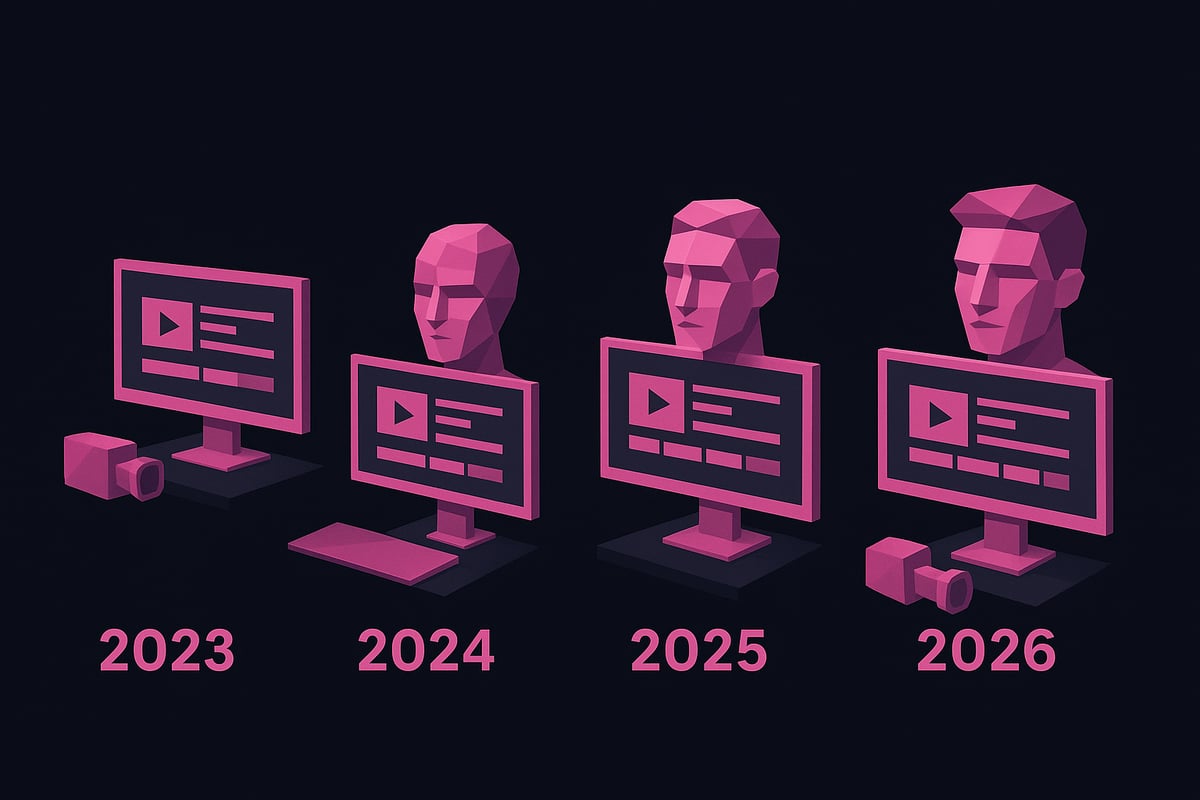
The journey of ai to create video has accelerated rapidly between 2023 and 2026, reshaping how individuals and organizations produce visual content. This evolution is marked by breakthrough technologies, new creative workflows, and a dramatic shift in who can access professional video creation tools.
Key Milestones in AI Video Technology
Several significant milestones have defined the rise of ai to create video in recent years. The introduction of advanced AI-generated visuals and voice synthesis has enabled creators to produce realistic characters and compelling audio with just a few clicks.
Platforms like CapCut and others began offering real-time editing and automation features, making the editing process faster and more intuitive. AI avatar technology has grown, allowing users to generate custom digital presenters tailored to their brand or message.
Media asset libraries powered by AI have expanded, providing instant access to a wide range of supplemental content. Additionally, the shift toward cloud-based and mobile-first solutions has made ai to create video accessible to a broader audience, regardless of technical skill.
- AI-generated visuals and text-to-video tools
- Real-time editing and automation
- Expansion of avatar and digital presenter options
- Growth of AI-powered media libraries
- Increased accessibility via mobile and cloud platforms
Impact on Content Creation and Industries
The adoption of ai to create video has democratized content production across industries. Creators, businesses, and educators now have the ability to generate professional-quality videos without traditional barriers. Production time and costs have dropped by up to 90 percent, according to CapCut data, making high-volume output feasible for small teams.
Social platforms have seen a surge in user-generated video, especially as personalization and localization features powered by AI have improved. Notable case studies include TikTok creators, YouTube influencers, and marketing teams leveraging AI for rapid content turnaround.
For a deeper look at how the market has expanded and the widespread adoption of these tools, see the latest statistics in the AI Video Generator Market Growth report.
- Lowered costs and time investments
- Personalized and localized content at scale
- Case examples from major platforms and brands
The 2026 AI Video Creation Landscape
By 2026, ai to create video has become an integral part of brainstorming, scripting, editing, and publishing workflows. Advanced AI solutions are seamlessly integrated with social media and marketing platforms, letting creators automate repetitive tasks and focus on creativity.
Predictions suggest that over 70 percent of online videos will include some form of AI-generated elements. The landscape is defined by automation, ease of use, and the ability to scale creative output like never before.
- End-to-end AI-driven video workflows
- Seamless social media integration
- Automation of editing and creative tasks
- Over 70 percent of online videos with AI elements
The future of ai to create video is not just about technology, but about empowering creators to bring their ideas to life with unprecedented efficiency and quality.
Planning Your AI Video Project for Maximum Impact
Setting up your project for success requires more than just picking a tool. To fully harness the potential of ai to create video, you need a strategic approach from the very beginning. This section will guide you step by step, ensuring your content stands out and aligns with your goals.
Defining Your Video’s Purpose and Audience
Start by clarifying the main objective of your video. Are you looking to educate, market a product, entertain, or build your personal brand? Knowing your purpose shapes every creative decision.
Next, identify your target audience. Consider their demographics, interests, and which platforms they frequent, such as YouTube, TikTok, or Instagram. Review competitor videos to see what works and, more importantly, how your use of ai to create video can offer something unique.
Analyze successful content in your niche. Note what resonates with viewers and where there are gaps. This foundational step ensures your project is focused and relevant.
Crafting an Effective Script or Concept
A compelling script is the backbone of engaging video content. Use brainstorming tools powered by ai to create video concepts and outlines that capture attention from the first second.
Leverage AI script generators to structure your narrative, ensuring clarity and flow. Incorporate trending topics and relevant keywords for better SEO visibility. For practical strategies and inspiration, you can explore Using AI to Make Videos, which breaks down real-world workflows.
Remember, a well-crafted script makes it easier for ai to create video content that connects with your audience and achieves your objectives.
Selecting the Right Visual and Audio Style
Visual and audio style are critical for brand identity and viewer engagement. Decide if your video will use realistic, animated, or cinematic visuals generated by ai to create video experiences suited to your message.
Match your style to your audience’s expectations. For instance, a playful animation may suit a younger demographic, while a sleek, cinematic look works for professional content.
Utilize AI-powered music and voice generation for consistent tone. These tools help maintain a unified sound across all your videos, making your brand instantly recognizable.
Preparing Media Assets and Resources
Gather all necessary assets before you begin. This includes logos, images, and other brand elements you want to feature. Access AI media libraries to supplement your project with high-quality footage and effects, maximizing the creative power of ai to create video.
Plan for accessibility by preparing subtitles and captions. This ensures your content is inclusive and reaches a broader audience.
Organize your assets in folders, labeled by type or scene, so you can quickly upload them when prompted by your chosen AI platform.
Setting Video Specifications and Output Formats
Choose the right specifications based on your distribution plan. When using ai to create video, consider output formats like vertical, horizontal, or square to suit platforms such as Instagram Reels or YouTube Shorts.
Determine ideal video length and pacing by analyzing audience retention data. Shorter videos often perform better on social media, while longer formats may suit educational content.
Ensure compatibility with HD or 4K requirements. Confirm file types supported by your target platforms to streamline publishing and avoid technical issues.
Step-by-Step Guide: Creating a Video with AI in 2026
Ready to bring your ideas to life with ai to create video content that captivates? Follow this comprehensive, step-by-step approach to ensure your results are professional, on-brand, and optimized for your goals. The process is designed to be accessible to beginners and powerful enough for seasoned creators.
Step 1: Choosing the Best AI Video Creation Platform
The first step in using ai to create video is selecting the right platform. Consider your specific needs, such as avatar support, template variety, voiceover options, and export formats. Compare industry leaders like CapCut, Synthesia, and Pictory, each offering unique strengths for different workflows.
A quick comparison can help you decide:
| Platform | Avatars | Templates | Voiceover | Mobile/Desktop | Export Options |
|---|---|---|---|---|---|
| CapCut | Yes | Extensive | Yes | Both | MP4, MOV, 4K |
| Synthesia | Advanced | Moderate | Advanced | Web | MP4, HD |
| Pictory | Basic | Large | Yes | Web | MP4, HD, 4K |
Ease of use, pricing, and integration with your preferred social platforms are crucial. For a detailed breakdown of leading platforms, visit this AI Tools to Create Videos guide, which outlines strengths and considerations for each solution. Choosing the best tool ensures your ai to create video process starts strong.
Step 2: Setting Up Your Project Workspace
Once you have chosen your platform, it is time to set up your workspace. Register or log in, then navigate to the “AI Video Maker” or equivalent feature. This dashboard is your command center for managing every aspect of your ai to create video workflow.
Configure your project settings at the outset. Select the video type, such as explainer, music, or marketing. Choose the aspect ratio that matches your target platform, whether vertical for TikTok, square for Instagram, or widescreen for YouTube. Decide on a visual style—realistic, animated, or cinematic—that aligns with your brand image.
Organizing your workspace early streamlines the process. Upload your logo, brand colors, and any key assets now, so they are ready to deploy as you build your ai to create video project.
Step 3: Generating or Uploading Your Script
A well-crafted script is the foundation for engaging video content. You can upload a pre-written script or use ai to create video scripts from scratch. Most modern platforms include AI-powered script generators that can brainstorm ideas, improve clarity, and optimize flow.
Paste your script into the interface or prompt the AI with your topic. Review the output carefully. Use built-in suggestions to refine tone, add calls to action, and insert SEO keywords for discoverability. For marketing or educational content, ensure your message is clear and actionable.
Do not forget to format the script with scene breaks and cues for voiceover or on-screen text. This ensures the ai to create video platform can structure your project logically, saving you editing time later.
Step 4: Selecting Visual Elements and Avatars
Now, bring your vision to life by selecting visuals and avatars. AI platforms offer a range of digital presenters, from realistic avatars to stylized animations. You can also upload a custom avatar that matches your brand’s identity.
Choose a video template that fits your theme or start from scratch for full creative control. Integrate your logo and adjust brand colors with intuitive tools. Use media asset libraries to add stock footage, backgrounds, or effects that complement your story.
Consistency is key. Match your visual style to audience expectations and platform norms, ensuring the ai to create video maintains a professional and cohesive appearance throughout.
Step 5: Adding Voiceovers and Music
Audio plays a critical role in audience engagement. With ai to create video, you can generate natural-sounding voiceovers in multiple languages, accents, and tones. Select a voice that fits your message, or upload your own narration for a personal touch.
Platforms often include AI-powered music generators. Choose from a library of tracks, filter by mood or genre, and adjust tempo to match your visuals. Sync your audio elements with each video scene to create a polished, immersive experience.
Balance is essential. Keep background music subtle so narration stands out. Test different audio combinations to ensure your ai to create video resonates with your viewers.
Step 6: Scene-by-Scene Video Construction
Building your video scene by scene allows for granular control. Drag and drop elements onto your timeline, or let the AI suggest scene transitions, pacing, and effects based on your script and assets.
Insert subtitles, captions, and visual cues to enhance accessibility and engagement. Use automatic transitions and effects to maintain a dynamic flow. Preview each scene in real time and make adjustments to timing or content as needed.
This modular approach ensures every part of your ai to create video aligns with your objectives and keeps viewers engaged from start to finish.
Step 7: Reviewing, Editing, and Refining
Before publishing, thoroughly review your project. AI-powered editing features can help you with color correction, stabilization, and even relighting for a professional finish. Many platforms auto-generate captions and translations, expanding your reach across languages.
Invite collaborators to review and provide feedback directly in the shared workspace. Use AI suggestions to tighten edits, enhance pacing, or improve visual consistency. Double-check that all branding elements and calls to action are present and accurate.
Iterative editing is essential. Each review cycle brings your ai to create video closer to perfection, ensuring it meets both quality standards and your specific goals.
Step 8: Exporting and Publishing Your Video
The final stage in using ai to create video is exporting and publishing. Choose your desired output resolution, such as HD or 4K, and select the format best suited to your distribution channel, like MP4 or MOV.
AI platforms accelerate rendering, allowing you to export projects instantly. Many tools offer direct publishing to social media, letting you share content on TikTok, YouTube, or Instagram with a single click. Alternatively, download your video for manual upload or archiving.
After publishing, monitor performance using built-in analytics. Evaluate viewer engagement and retention, and use these insights to refine your future ai to create video projects for even greater impact.
Advanced AI Features and Customization Options
Harnessing advanced features is what truly sets modern ai to create video workflows apart. Today’s platforms go far beyond basic automation, offering creators and businesses a toolkit for speed, creativity, and control. If you want a deeper dive into the latest options, the AI Video Creation Tools Overview highlights many of these innovations and how they’re transforming video production.
AI-Driven Automation for Efficiency
Automation is the backbone of using ai to create video at scale. Platforms now deliver smart editing that analyzes footage, making instant auto-cuts and detecting scenes for seamless transitions.
- AI upscaling boosts video quality, even from low-resolution sources.
- Automated background removal isolates subjects, saving hours in post-production.
- Object tracking features enable dynamic effects and motion graphics with minimal manual effort.
These tools allow creators to focus on storytelling, while the AI handles technical tasks, streamlining the content pipeline from start to finish.
Personalization and Branding Tools
Personalization is essential when you use ai to create video that stands out. Today’s systems offer custom avatars for unique brand representation, letting you design digital ambassadors or spokespeople that match your identity.
- Branded templates ensure every video is consistent with your visual guidelines.
- Dynamic overlays can display real-time data, promotions, or interactive elements.
- AI-generated intros, outros, and logo animations add polish while reinforcing branding.
With these tools, you can maintain a cohesive look across all content, no matter how many videos you produce.
Accessibility and Localization
Making video content accessible and global is easier than ever with ai to create video platforms. Instant subtitle generation and translation tools support multiple languages, helping you reach wider audiences.
- AI voice cloning provides localized narration that matches your preferred tone.
- Compliance features generate closed captions and audio descriptions for viewers with disabilities.
- These options ensure your message is inclusive and meets accessibility standards.
By integrating these features, your videos become more engaging and open to everyone.
Integration with Other Creative Tools
Seamless integration with creative resources is a hallmark of advanced ai to create video solutions. Platforms now connect directly to music libraries, stock footage repositories, and design tools, allowing you to enrich your videos with high-quality assets.
- API connections automate repetitive tasks and speed up workflows.
- Example: CapCut’s direct integration with TikTok and YouTube for instant publishing.
- Such integrations eliminate manual uploads, letting you distribute content faster.
This connectivity enables smoother collaboration and a more efficient production process.
Measuring and Optimizing AI Video Performance
To maximize results, measurement and optimization are vital in any ai to create video strategy. Built-in analytics track viewer engagement, retention rates, and audience demographics.
- AI-driven recommendations suggest edits or new formats based on performance data.
- Case studies highlight how data-driven optimization improves reach and impact.
- Ongoing analysis ensures every video is refined for your goals.
By leveraging these insights, you can continually improve your content and stay ahead in a competitive landscape.
AI Video Creation for Music: Specialized Tools and Use Cases
The intersection of music and artificial intelligence has sparked a revolution in how artists, producers, and content creators use ai to create video content. Today, advanced AI analyzes a song’s rhythm, tempo, and mood, generating visuals that move in perfect sync with the music. From automated lyric videos to beat-matched animations, these tools make it possible for anyone to craft eye-catching music videos without complex editing skills.
Creators can now quickly transform a raw audio track into a dynamic visual experience. Independent musicians, DJs, and influencers are taking full advantage of these innovations, making high-quality video production accessible regardless of budget or technical background.
1 More Shot: AI-Powered Music Video Generator
1 More Shot stands out as a specialized platform using ai to create video for music professionals. It enables users to turn tracks into professional-grade music videos in just minutes. Key features include lightning-fast video generation, advanced lip-sync technology, and support for multiple export formats, including HD, with no watermarks.
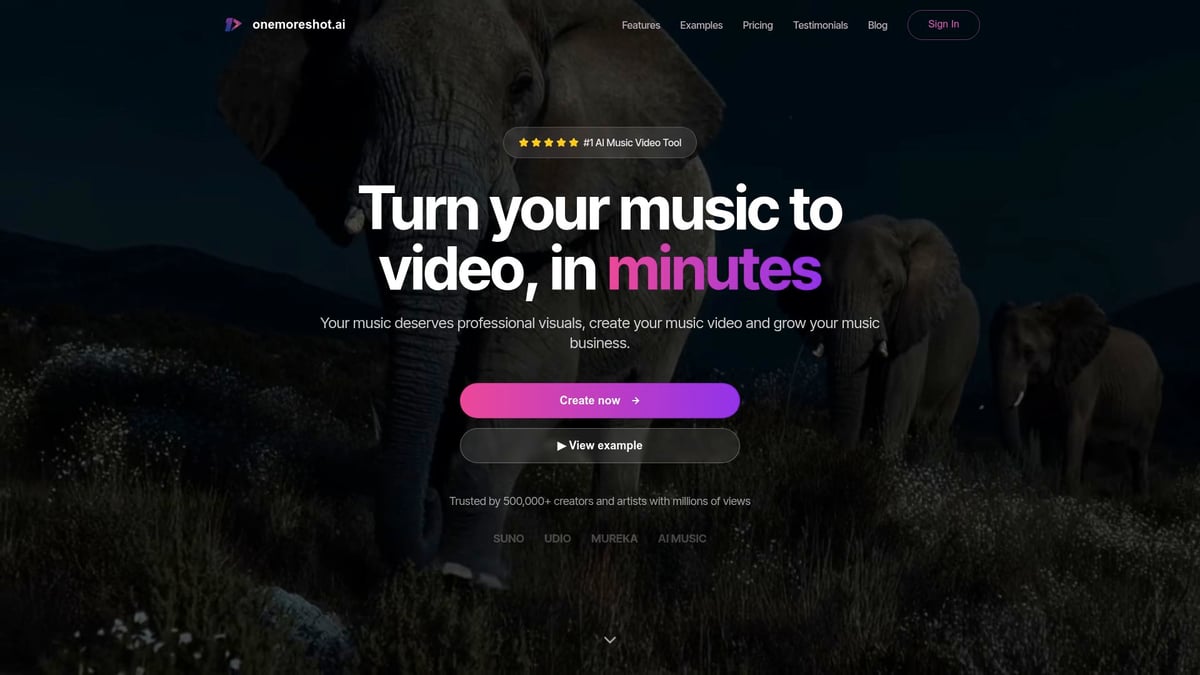
Musicians and creators benefit from the platform’s ability to scale video production for any project size, whether for a single release or a full album campaign. Testimonials highlight how artists have doubled their streams and content creators have expanded their social media reach using this innovative solution.
Comparing Music-Focused AI Video Tools
When choosing ai to create video for music, it’s crucial to compare music-specialized generators with general-purpose tools. Platforms tailored for music offer distinct advantages like beat-matching, lyric animation, and direct integration with streaming services. General tools may lack these music-centric features, making customization more challenging.
| Feature | Music-Focused AI | General-Purpose AI |
|---|---|---|
| Beat & Lyric Sync | Yes | Limited |
| Lip-Sync Tech | Advanced | Basic/None |
| Multi-Format Export | Yes | Yes |
| Streaming Integration | Yes | Sometimes |
For a deeper look at top platforms, see this Best Free AI Video Generator review, which helps readers find the right tool for their needs.
Tips for Maximizing Results with AI Music Video Generators
To get the best results when using ai to create video for music projects, follow these best practices:
- Customize visuals to reflect the song’s mood and genre for stronger audience connection.
- Use AI to generate multiple video versions, allowing for effective A/B testing on different platforms.
- Promote your videos across TikTok, YouTube, and Instagram to maximize reach and engagement.
Experimentation is key. By refining your approach and leveraging the latest AI features, you can consistently produce compelling, professional music videos that stand out in a crowded digital landscape.
Best Practices and Future Trends in AI Video Creation
As the industry rapidly evolves, adopting best practices is essential for anyone using ai to create video. Staying current with trends and technologies will help you maximize impact, maintain creative control, and ensure ethical, effective results.
Staying Ahead of the Curve in 2026
To stay competitive, continuously explore new tools and platforms that use ai to create video. The pace of innovation is accelerating, with features like real-time editing, AI-driven effects, and cross-platform publishing becoming standard. According to the AI Video Market Share and Growth report, the global market is expanding rapidly, making it crucial to adapt quickly.
Regularly update your skills by testing beta features and following industry news. Joining professional communities and attending webinars can help you anticipate upcoming changes and seize new opportunities.
Ensuring Authenticity and Creative Control
While automation streamlines workflows, maintaining your unique voice is key when using ai to create video. Rely on AI for efficiency but personalize scripts, visuals, and branding to reflect your story. Avoid generic templates by customizing avatars and backgrounds, ensuring your content stands out.
Involve human oversight during concept development, scriptwriting, and final edits. This balance lets you harness AI’s speed without sacrificing originality or brand identity.
Ethical Considerations and Responsible AI Use
Ethics are central as more creators use ai to create video. Always respect copyright and intellectual property when sourcing AI-generated assets. Be transparent with your audience about how AI contributed to your content.
The IAB Report on AI in Video Ads highlights industry-wide adoption, making responsibility more important than ever. Address potential biases in AI-generated visuals and voiceovers to build trust and credibility.
Preparing for the Next Wave of AI Innovations
The future of ai to create video is dynamic, with emerging tech like real-time 3D video, interactive narratives, and personalized viewer experiences. Expect further integration of generative AI with AR and VR, expanding creative possibilities.
Stay alert for advancements in automation, asset generation, and analytics. Early adoption of these innovations will position you as a leader in the field and help future-proof your video strategy.
Resources for Continued Learning and Support
To thrive with ai to create video, tap into industry resources. Join AI video creation forums, subscribe to platform updates, and participate in online courses. Many leading platforms offer detailed documentation and tutorials to deepen your expertise.
Keep an eye on upcoming events, webinars, and workshops. These resources connect you with peers, spark new ideas, and ensure you stay updated on best practices and future trends.
Now that you’ve seen how AI has transformed video creation and explored each step to bring your ideas to life, you’re ready to put this knowledge into practice. With platforms like 1 More Shot, you can leverage advanced AI tools to effortlessly craft professional music videos—no technical expertise required. Imagine turning your creative vision into high-quality content in just minutes, saving time and unlocking new possibilities for your brand or music. If you’re ready to take the next step and see what’s possible for yourself, Start Creating Now.